Designing High-Performing Municipal Meeting Spaces: AV Trends, Live-Streaming Challenges & How to Plan for SuccessMunicipal meeting spaces have evolved far beyond simple boardrooms with a projector and podium. Today’s city councils, planning boards, and advisory...
Designing High-Performing Municipal Meeting Spaces: AV Trends, Live-Streaming Challenges & How to Plan for SuccessMunicipal meeting spaces have evolved far beyond simple boardrooms with a projector and podium. Today’s city councils, planning boards, and advisory...
Audio Visual (AV) technology plays a critical role in how teams collaborate, communicate, and stay productive. Whether it’s a conference room, training space, council chamber, or a fully integrated smart home, AV systems are expected to work reliably every time. That’s where an AV equipment lifecycle strategy comes in. Rather than waiting for systems to fail, a proactive lifecycle approach helps organizations plan upgrades, manage budgets, and ensure technology continues to support their goals.
At Smart Homes and Smart Offices (SHSO), we help our clients take the guesswork out of AV planning with clear lifecycle guidance, system assessments, and ongoing support.
An AV lifecycle strategy is an investment in your people, productivity, and long-term technology budget. With a plan in place, you can:
Protect productivity by refreshing equipment before failures disrupt meetings or daily operations
Manage technology more efficiently with predictable replacement timelines
Establish a realistic AV budget and avoid large, unplanned expenses
Ensure compatibility and support by replacing equipment before it becomes outdated or unsupported
AV systems range from simple plug-and-play solutions to complex, networked environments with multiple integrated components. Each piece of equipment ages differently, which is why phased refreshes are often a good option – especially when there are budgetary constraints.
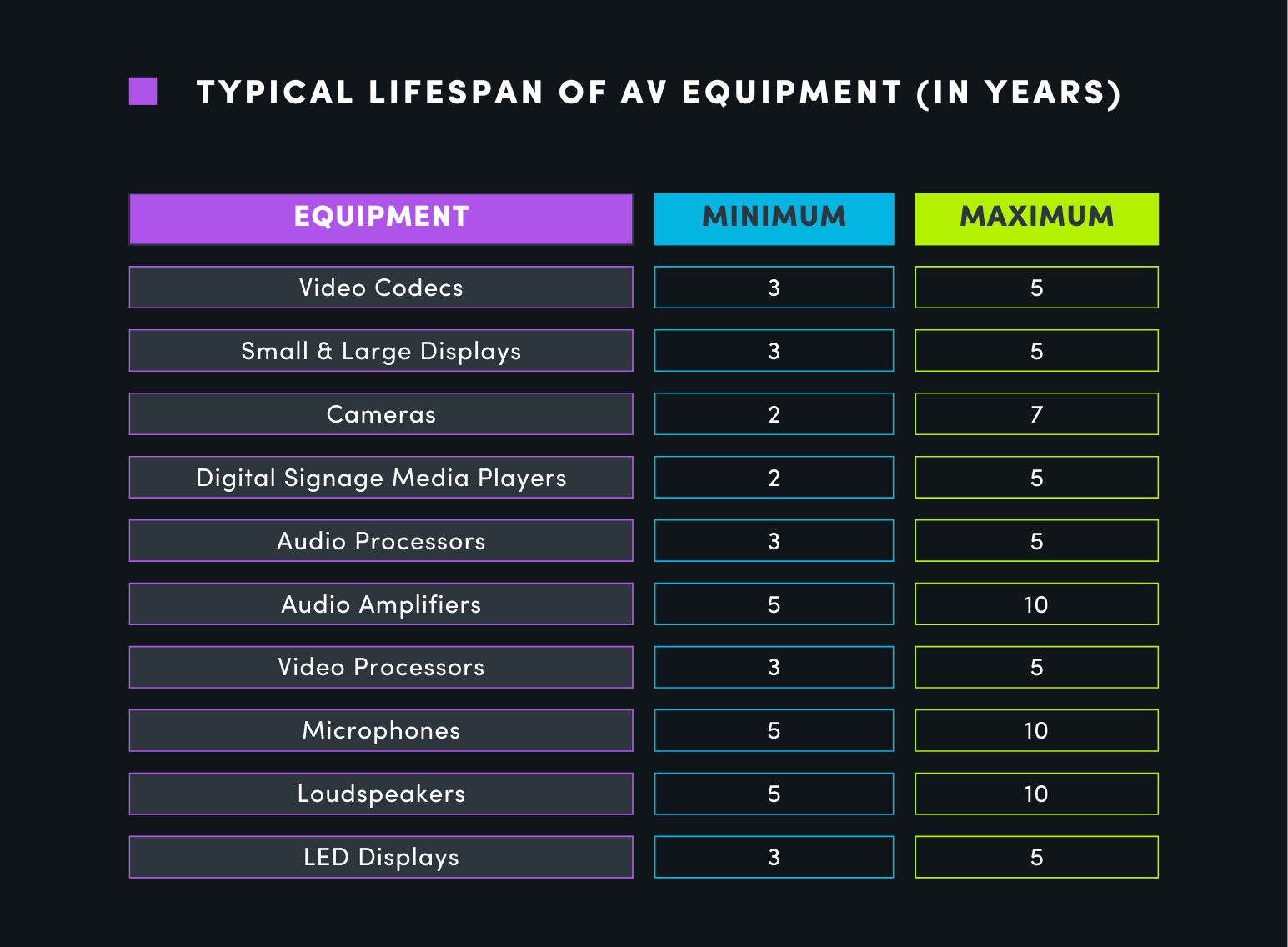
Typical Lifespan of Common AV Equipment
While actual lifespan depends on usage, environment, and maintenance, the following ranges offer a general planning guide:
Video Codecs: 3–5 years
Small & Large Displays: 3–5 years
Cameras: 2–7 years
Digital Signage Media Players: 2–5 years
Audio Processors: 3–5 years
Audio Amplifiers: 5–10 years
Video Processors: 3–5 years
Microphones: 5–10 years
Loudspeakers: 5–10 years
LED Displays: 3–5 years
Understanding where your equipment falls within these ranges makes it easier to plan upgrades before problems arise.
Signs That It’s Time to Refresh Your AV System
If you’re unsure whether your system is due for an upgrade, ask yourself the following questions:
Is your equipment nearing—or past—the end of its expected lifecycle?
Is it increasingly difficult just to get systems to work properly?
Are individual components failing or behaving inconsistently?
Does your system lack features or capabilities your team needs?
Is your equipment no longer supported, available, or receiving updates?
If you answered “yes” to any of these questions, it’s likely time to start planning a refresh.
A smooth AV lifecycle refresh project starts with a clear, structured approach. Successful projects typcically unfold in the following order:
1. Plan
Begin by assessing your space, usage patterns, and goals—always with a budget in mind. Identify desired capabilities and research equipment options. When working with SHSO, our engineering team performs a needs assessment, designs a solution, and walks you through the proposal and installation process.
2. Prepare and Install
Before installation, supporting infrastructure is addressed. Equipment is ordered, programming is completed and tested, and a dedicated project manager coordinates scheduling and communication throughout the process. During the installation stage, your room will be unavailable for use, so plan ahead by designating a temporary meeting space if needed.
3. Use, Train, and Maintain
Once installed, your system enters its longest lifecycle phase. Training, documentation, and support ensure users feel confident operating the technology. Depending on the components, this phase can last anywhere from 3 to 10 years.
4. Recycle, Replace, Repeat
When equipment reaches the end of its lifecycle, responsible recycling options are explored. Planning and budgeting for the next refresh begins—often replacing shorter-lifecycle components first to keep your system current.
Technology evolves quickly, and managing updates, warranties, and maintenance can be overwhelming. We can help ensure your technology works for you – not against you.
Your content goes here. Edit or remove this text inline or in the module Content settings. You can also style every aspect of this content in the module Design settings and even apply custom CSS to this text in the module Advanced settings.
Get Expert Guidance: Download Our Free AV Equipment Lifecycle Guide
Still not sure where to begin? We’ve created a free AV Equipment Lifecycle Guide to help you understand equipment lifespans, plan for your next project, and build a long-term technology strategy with confidence.
Whether you’re managing AV systems in Michigan or supporting distributed teams across the U.S., working with a local, experienced technology partner makes all the difference. To learn more about our full range of audio video solutions, contact us today to speak with an AV engineering specialist.