Popular Hybrid Solutions Compared.
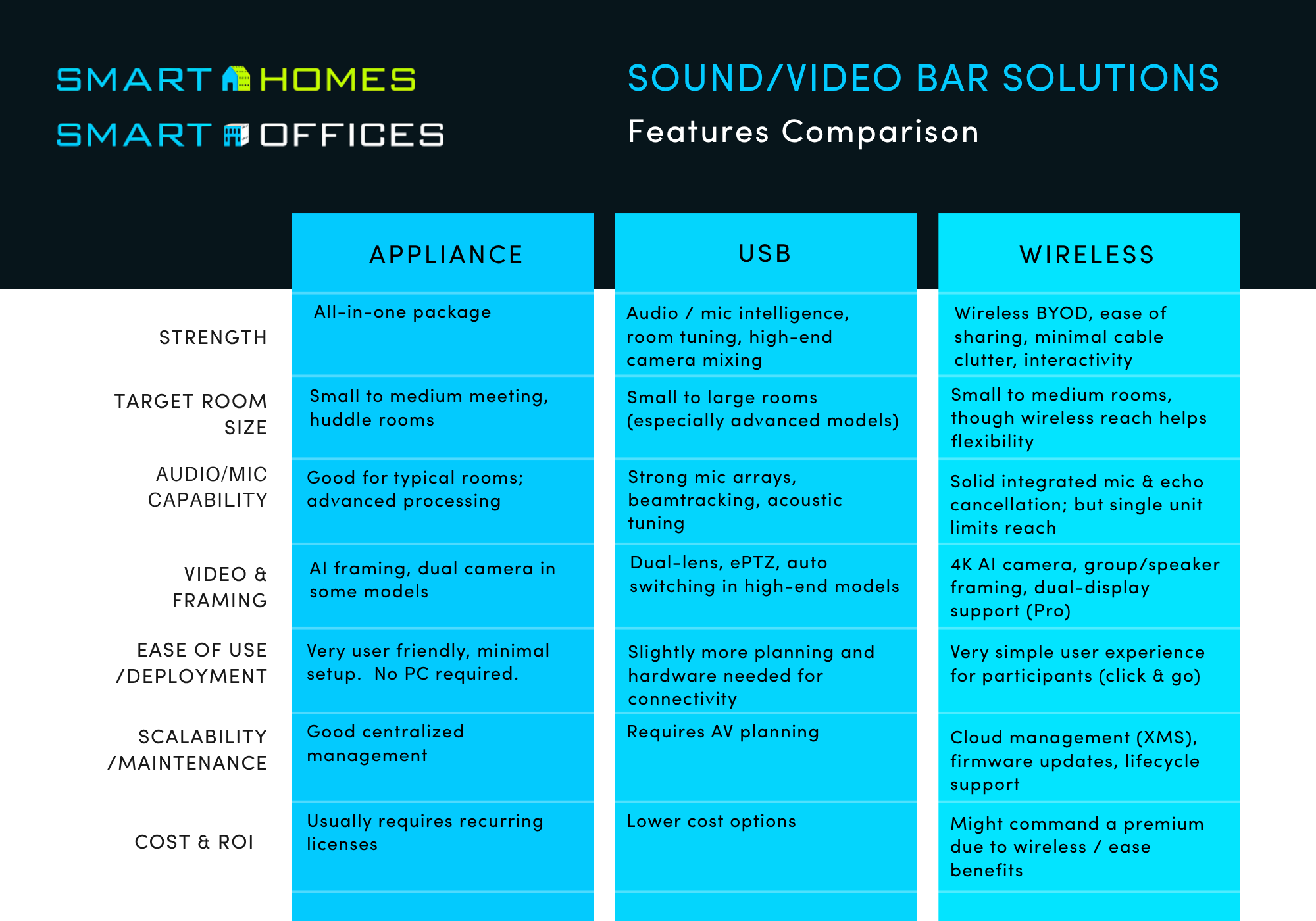
Whether you prioritize the simplicity of USB, the dedicated solution of an appliance, or the wireless ease of a ClickShare bar, each platform has merits—and the right fit depends on your room environment and user expectations. Below is a breakdown of the main differentiators and capabilities of each solution:
Appliance
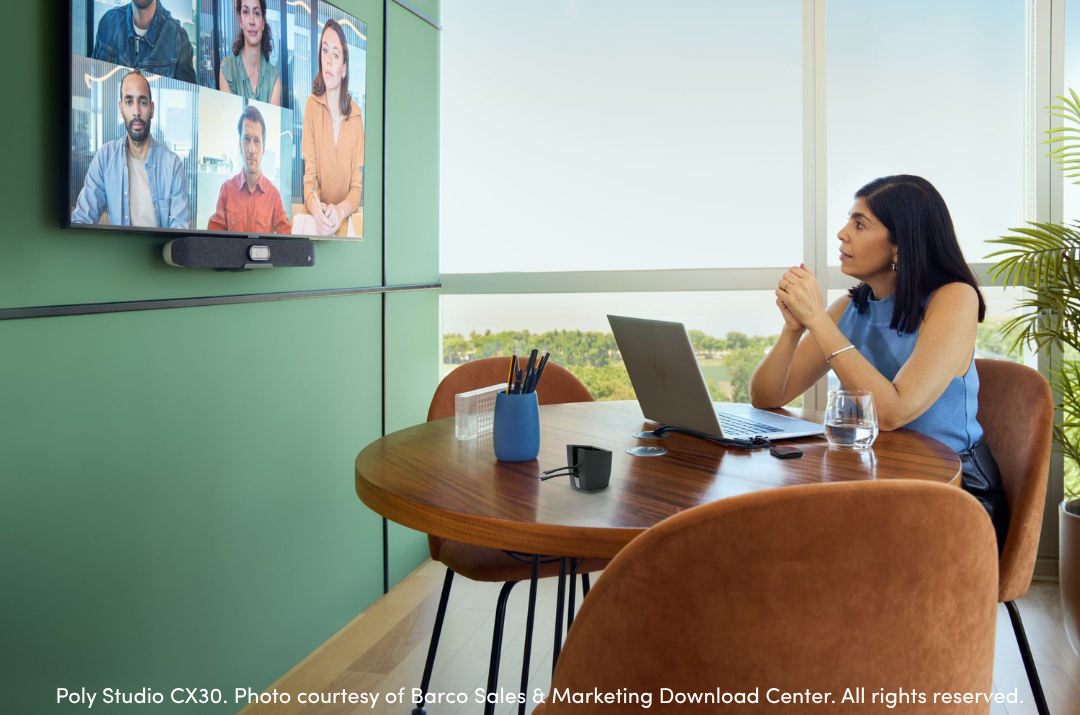
Dedicated all-in-one video bars and standalone conferencing sound bars work best with small- to medium-size meeting rooms and huddle spaces. These solutions emphasize plug-and-play simplicity, AI enhancements, and compatibility across platforms such as Teams and Zoom.
Key features & benefits
- Most video conferencing bars offer integrated AI camera + auto framing / speaker tracking.
- Simplified deployment: These devices are only connected to the internet and touch panel to reduce cabling and speed installation.
- Device management & compatibility: Devices across multiple rooms can be centrally managed through Teams or Zoom.
- Scalable architecture: Multiple sizes available for small and medium conferencing rooms.
Considerations / trade-offs
- Must choose a client (Zoom or Teams).
- Sharing to the room happens in a meeting.
USB Conferencing Bars
USB conferencing bars, such as those made by Biamp, are designed for small to large rooms, and build upon the company’s reputation for delivering high-quality audio video solutions, and are compatible with all services.
Key features & benefits
- Audio Intelligence & Beamtracking: Some bars incorporate Beamtracking mic technology and audio intelligence to track and mix voices in the room.
- Video + auto framing: Most units include auto-framing, pan/tilt/zoom (PTZ), and switching between wide / ultra-wide lenses to keep participants framed optimally.
- Compatible with all video conferencing clients.
- Dual camera / hybrid zoom: Higher end models such as the VBC 2800, feature dual 50MP + 8MP cameras with 16× digital zoom and switching between lenses.
- Lower cost options available.
Considerations / trade-offs
- Requires cabling to the table.
- Doesn’t handle HDMI/content videos.
- Requires a laptop to “Host”.
- As with any all-in-one device, in very large ro acoustically challenging rooms, external mics or audio reinforcement may still be needed.
Wireless Video Bars
Barco’s ClickShare line is known for wireless presentation and meeting systems; their ClickShare Video Bars (Bar Core, Bar Pro) represent their push into integrated video, audio, and wireless meeting experiences. The core differentiator is the wireless, BYOD-friendly, cable-free meeting model.
Key features & benefits
- Wireless conferencing and one-click sharing: ClickShare video bars integrate wireless conferencing, letting users connect and share content in seconds via a ClickShare Button or app—eliminating the need for cables or drivers.
- BYOD and Platform friendly: ClickShare works with any video conferencing platform and supports AirPlay, Google Cast, Miracast, and others.
- All-in-one video bar simplicity: ClickShare combines camera, mic, speaker, wireless connectivity, and content sharing into a single unit—reducing overall costs and simplifying installations.
- Good audio and video specs: The ClickShare Bar Pro includes a 4K AI-powered camera, stereo speakers, 6 MEMS beamforming mics, acoustic echo/noise cancellation, and content + people side-by-side display.
- Dual display, annotation, interactivity (Pro model): The Bar Pro supports touchback, annotation, dual screens, wired roomdock for 4K content, adding interactivity beyond pure video/audio.
- Remote management & integration: With ClickShare, you can manage devices remotely via XMS Cloud, or integrate with enterprise AV systems.
Considerations / trade-offs
- Because ClickShare bars emphasize an easy, wireless user experience, the device itself does not include a full internal codec. The local PC / laptop or BYOD device remains responsible for running the video conferencing software. In essence, the ClickShare bar serves as a passthrough connector rather than a full endpoint.
- If stringent WiFi or network constraints such as building interference, or security and firewall rules, the wireless component may not be the best solution for your organization.
- Some advanced features such as dual display and touchback are only available in the higher-end “Pro” version.
- For very large rooms, the mic / speaker coverage of a single bar may still fall short and require augmentation with ceiling mics or audio reinforcement or be better served by a custom-engineered solution.